
Download Google Drive for Mac: Multi-functional Cloud Storage
Keeping track of files on your computer can be more of a pain than it is worth, and with scenarios like your Mac or PC or hard drive crashing, backing up important files and media is a must-do. When you download Google Drive for Mac, it provides a great resource for syncing and uploading files from your computer and accessing them from other devices or while offline. It also offers many other valuable features in addition to file management. Google Drive for Mac can help you sync all file edits across your devices.
Top Recommended Alternative

How does Google Drive work?
Time-tested features
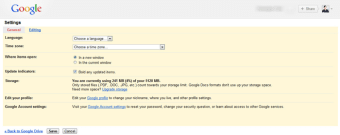
- The free or personal version of Google Drive offers 15GB of cloud storage, while Google’s Workplace version, the entry-level starter option for businesses, increases the storage to 30 GB. However, Google Drive offers many compelling features beyond file storage.
- Google Drive is automatically integrated with the Google Docs office suite, a web-based suite of software, which includes Google Docs as a word processor, Google Sheets spreadsheets, and Google Slides visual presentation software.
- With Google Drive’s included software, organizations or individuals can create reports and invoices, client presentations, and written documents.
- Google Drive eliminates the need for a series of installed paid office suite software on individual machines.
- Easily share files and documents with collaborators for real-time changes and edits that are automatically backed up.
Whether you are working remotely or want to ensure access to file versions, Google Drive is a great resource.
Key features of Google Drive
Storage and more
The entry-level free version of Google Drive provides 15GB of free space within Drive. Should you need additional storage, Google Drive offers paid versions based on the amount of space required. With proper maintenance and use, the free version can handle a significant number of Docs and Sheets. However, if you use Google Drive to store many larger files like images or videos, you may need to upgrade to a paid version.
Integration
If you opt for the Workplace version of Google Drive, you can take advantage of robust application availability to find plug-ins to enhance your organization's productivity. For example, users of Microsoft Office can opt for the Office plug-in, which enables you to use Microsoft Word within Google Drive. If your business or organization relies on software like DocuSign to return signed documents, take advantage of the DocuSign plug-in to transition that functionality to your work in Google Drive.
Solutions for businesses
Google offers multiple tiers of Google Drive for businesses or groups whose storage needs surpass the free version, offering affordable collaboration tools for small businesses. Business solutions from Google Drive, which require payment via subscription, include the entry-level Business Starter, offering 30GB of total storage per user, security and management controls, and 24-hour support. Business Standard offers increased team storage of 2TB, along with shared team drives. Business Plus offers more storage space than Business Standard with enhanced security, and there is also the Enterprise tier, which requires speaking with an associate to create a quote based on your individual business needs, along with advanced security features and management and compliance controls.
Performance and user experience
Integrating Google Drive into your operations is as simple as visiting Drive’s hub on your browser while signing into your account. By visiting drive.google.com, you land at your account’s Drive. From there, clicking the New button prompts you to create a new Doc, Sheet, Slide, or Form, in addition to many other options.
System requirements:
Google Drive requires browsers to have cookies and JavaScript turned on.
Update your browser to one of the most recent versions for optimal performance.
Drive can be installed on your desktop with the following operating systems:
MacOS Big Sur 11.0 and newer
Linux users can operate Google Drive on the web
With so much communication and work happening on the go, Google Drive is also available as a mobile version for Android and iOS, offering access to your files from your mobile devices and incorporating a helpful document scanning function.
Google Drive: Streamline your file management
Easy to use
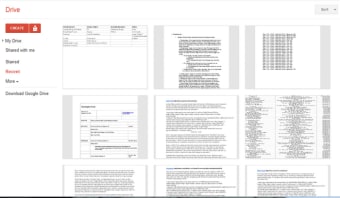
Google Drive allows you to easily create folders to organize files within your drive, and moving files amongst folders is as simple as dragging and dropping. The Search functionality within Drive provides swift file location, allowing you to navigate to a specific file quickly.
Increase storage and functionality
If your business or organization is just starting out, Google Drive can act as the hub for all of your necessary documentation. Track costs in Sheets, store photos in folders, and draft processes and letters in Docs. As your organization and storage needs grow, Google Drive offers a range of options to suit your needs.
If you need standard administrative functionality like word processing and data organization in spreadsheets, Google Drive allows you to create these documents with its included Doc and Sheets applications, among many others.
You can save all the files you create within Drive and access historic versions, ensuring you never lose work or past changes. Google Drive can also store files created outside of Google’s applications, such as photo and video files, audio files, CAD renderings, and more.
Google Drive offers a desktop application for Mac that integrates seamlessly into your on-machine operations while providing the added security of cloud-based backup. With available mobile versions, Google Drive enables you to access your files practically anywhere, on almost any device.
Google Drive does not offer security features like password protection for individual files or folders, but features like Client Side encryption ensure that the files stored on Google Drive are safe from outside interference. Google’s implementation of data and privacy controls ensures that solely account administrators can distribute and manage Google Drive and Google Docs keys.
With so many valuable features and expansive accessibility, Google Drive is a go-to resource for any group or organization that needs standard office suite functionality and cloud storage.